An MP Treasury Challan is an official government payment document that routes your money directly into the state treasury of Madhya Pradesh. It acts simultaneously as a payment instrument and a receipt — recording the date, the paying party, the purpose, the department, and the amount in a tamper-proof, traceable format.
Before the digital era, challans were physical forms available at treasury offices. You filled them by hand, stood in line at the bank, got a rubber stamp, and kept your copy. Today, the MP Cyber Treasury portal has converted this entire process into a seamless digital workflow that takes roughly five minutes from start to finish.
Whether you are a private citizen paying state dues, a business owner settling a commercial tax, or a government department making an inter-departmental payment, the MP Treasury Challan system is your single, authorised channel to do it correctly and completely online.
Who Uses MP Treasury Challan — and for What Purposes?
Understanding the scope of challan usage helps you quickly identify which category your payment falls under:
Individual Citizens Use It For:
- Property and land revenue payments
- Motor vehicle taxes and registration fees
- State examination fees (MPPSC, PSC, departmental exams)
- Court-ordered fines and penalties
- Stamp duty payments
Businesses and Enterprises Use It For:
- Commercial and professional tax deposits
- Trade licence and renewal fees
- Factory and labour department fees
- GST-linked state-level dues
- Environmental and mining clearance charges
Government Departments Use It For:
- Inter-departmental fund transfers
- Security deposits
- Tender-related fee payments
- Contractor and vendor statutory deductions
In every case, the challan creates an immutable financial trail — meaning neither the payer nor the receiving department can later dispute that the payment was made, for what purpose, or on which date.
The Two Types of MP Treasury Challans You Should Know
1. Online E-Challan (Digital)
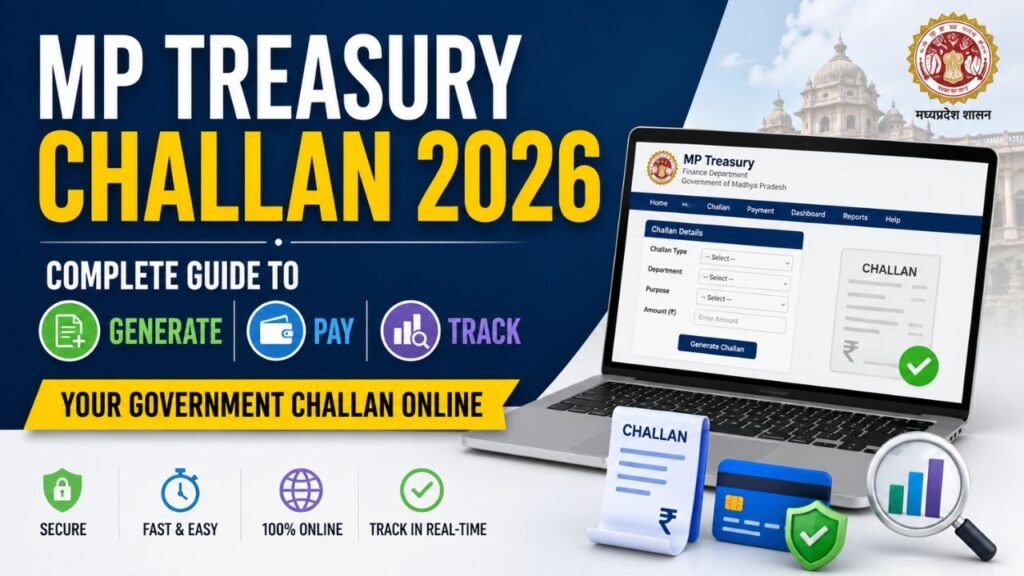
Generated and paid entirely through the MP Cyber Treasury portal at mptreasury.gov.in. Instant digitally signed receipt. No paperwork. No branch visit. This is the preferred and actively promoted method in 2026.
2. Offline Physical Challan
Available at designated treasury offices and authorised bank branches. Required in very limited situations — typically for payments in remote areas without internet access or for specific legacy departmental processes that have not yet been migrated online. For most citizens, the online route is both faster and safer.
How to Generate and Pay an MP Treasury Challan Online: Step-by-Step Guide
This process works for any citizen or entity making a payment to the Madhya Pradesh state government. No government employee login is required.
Step 1 — Access the Official Portal
Open your browser and go directly to https://mptreasury.gov.in. Look for the “Cyber Treasury” section on the homepage. Always verify the padlock icon in the browser’s address bar before entering any details — this confirms the encrypted, genuine government server.
Important warning: Several unofficial websites imitate the MP Treasury portal. Always begin your journey at mptreasury.gov.in — nowhere else.
Step 2 — Click on E-Challan Generation
Inside the Cyber Treasury module, click on “E-Challan Generation”. You will be directed to a form whose fields will dynamically change based on the type of payment you are making.
Step 3 — Fill in the Challan Details
You will typically need to enter:
| Field | What to Enter |
|---|---|
| Department / Head of Account | Select the specific government department receiving payment |
| Payment Type | Choose the sub-category (tax, fee, fine, etc.) |
| Payer Name | Your full name or business/entity name |
| PAN / Aadhaar | Depending on payment type — verify the requirement |
| Payment Amount | Exact amount payable |
| Remarks | Brief description of payment purpose |
Take your time filling these fields accurately. An error in the head of account or department code means the payment may not reach the correct treasury account, creating complications later.
Step 4 — Choose Your Payment Method
The MP Cyber Treasury portal supports all major digital payment options in 2026:
- UPI — Google Pay, PhonePe, Paytm, BHIM
- Net Banking — all major nationalised and private banks
- Debit Card — Visa, Mastercard, RuPay
- Credit Card — with applicable convenience charges
Step 5 — Complete Payment and Collect Your Receipt
Once payment is confirmed, the portal instantly generates a digitally signed e-receipt. This document carries:
- CIN — Challan Identification Number (for tax-related payments)
- CRN — Cyber Receipt Number (for non-tax receipts)
- Date, time, and transaction reference
- Department name and head of account
- Digitally verifiable QR code
Download and save this receipt immediately. It is the legal proof of your payment and can be verified online by any government department at any time.
Understanding CIN and CRN: The Two Numbers That Protect Your Payment
These two reference numbers are the backbone of the MP Treasury challan tracking system. Confusing them — or losing them — can cause unnecessary complications during verification.
CIN — Challan Identification Number
Generated for tax-related payments. If you are paying commercial tax, professional tax, or any other state levy categorised as revenue collection, your transaction will produce a CIN. This number is used when submitting tax returns, responding to departmental queries, or linking your payment to an assessment order.
CRN — Cyber Receipt Number
Generated for non-tax receipts — fees, fines, charges, deposits, and similar payments. If you pay an examination fee, a court fine, or a licence renewal charge, the system generates a CRN instead of a CIN.
Rule of thumb: Always record both numbers (whichever applies) along with the payment date and the exact amount. Treat them with the same care as a bank transaction reference — because in practice, they carry the same weight.
How to Check MP Treasury Challan Status Online
Verification needs arise in several situations: confirming that a payment you made days ago has been registered, resolving a departmental query about an old challan, or simply maintaining clean financial records.
The MP Treasury portal makes this straightforward.
Method 1 — Search by Transaction Number
- Go to mptreasury.gov.in and navigate to Cyber Treasury → Challan Status
- Enter your CIN or CRN in the search field
- The system will display full payment details — amount, date, department, and confirmation status
Method 2 — Search by Date and District
If you cannot locate your reference number, use the broader search option:
- Go to Challan Status on the Cyber Treasury portal
- Select your district and payment date range
- Enter your registered mobile number or name to filter results
- Identify your transaction from the results list
Method 3 — Bank Reference Number
If neither the CIN nor CRN is available but you have your bank transaction ID (UTR number from UPI or NEFT), the portal allows you to search by that as well. This is particularly useful when a payment was deducted from your account but the challan receipt was not generated due to a session timeout.
MP Treasury Challan Validity: A Critical Detail Most People Miss
A challan that has been generated but not paid does not remain valid indefinitely. Understanding the validity window prevents wasted effort and payment failures.
| Challan Type | Validity Period |
|---|---|
| Standard E-Challan | 7 days from generation date |
| Specific departmental challans | May vary — always check the specific department’s notice |
Once a challan expires, the payment cannot be made against that challan number. You will need to generate a fresh challan.
Practical advice: Never generate a challan unless you are ready to pay within the validity window. Do not generate multiple challans for the same due — pay the first one, and only generate a new one if the original has expired.
What to Do When a Payment Is Deducted but Challan Is Not Generated
This is a situation that frustrates many users — your UPI or net banking account shows the deduction, but the portal does not display a generated challan or receipt. Here is the correct course of action:
Step 1 — Wait 30 Minutes
Payment gateway reconciliation sometimes takes up to 30 minutes. Do not initiate a fresh payment immediately.
Step 2 — Check Challan Status Using Bank Reference
Use the challan status search with your bank’s transaction reference number (UTR/transaction ID). The payment may already be registered even if the receipt was not displayed on screen.
Step 3 — Contact the Helpdesk
If the status shows no record after several hours:
- Call 1800-419-8244 (Toll-Free)
- Email dta_director@mptreasury.gov.in with your bank transaction screenshot and payment details
- The treasury department will initiate a reconciliation request with the payment gateway
Step 4 — Do Not Pay Again Until Resolved
Making a duplicate payment for the same dues is far more difficult to reverse than waiting for reconciliation. Always resolve the discrepancy first.
How to Download Your MP Treasury Challan Receipt (E-Receipt)
If you saved your CIN or CRN, downloading a past challan receipt is a two-minute process:
- Go to mptreasury.gov.in → Cyber Treasury → Receipt Download
- Enter your CIN / CRN and the registered mobile number
- The system sends an OTP for identity verification
- After OTP confirmation, your digitally signed receipt downloads as a PDF
Receipts remain available on the portal for a minimum of seven years from the date of payment — providing a long-term verifiable record for both citizens and departments.
Mobile Application: Can You Pay Challans via the MP Sarthi App?
Yes. The MP Sarthi mobile application supports Cyber Treasury challan generation and payment. The app is available on both Android (Google Play Store) and iOS (Apple App Store). The mobile experience mirrors the web portal closely — same departments, same payment options, same instant receipt generation.
However, for complex payments involving multiple heads of account or large transaction amounts, the web portal offers a slightly more comfortable interface due to screen size and form complexity.
Frequently Asked Questions (FAQs)
Q1. What is the difference between a CIN and a CRN in MP Treasury challans?
A CIN (Challan Identification Number) is generated for tax payments — commercial tax, professional tax, and similar revenue collections. A CRN (Cyber Receipt Number) is generated for non-tax payments such as fees, fines, examination charges, and licences. Both serve as unique identifiers for tracking and verifying your payment.
Q2. For how many days is an MP Treasury challan valid after generation?
A standard e-challan is valid for 7 days from the date it is generated. If payment is not completed within this window, the challan expires and you must generate a fresh one.
Q3. Can I pay an MP Treasury challan without creating an account on the portal?
Yes. The Cyber Treasury module does not require a registered account or employee login. Any citizen can generate and pay a challan as a guest user with just the necessary payment details.
Q4. My payment was deducted but no challan was generated. What should I do?
Wait 30 minutes for payment gateway reconciliation. Then check challan status using your bank’s transaction/UTR reference number at mptreasury.gov.in. If the issue persists, contact the helpdesk at 1800-419-8244 with your bank statement screenshot. Do not make a duplicate payment until the issue is resolved.
Q5. How long does it take for a paid challan to reflect in the government department’s records?
For online UPI and net banking payments, reconciliation typically happens within 2 to 4 working hours. In rare cases involving technical delays, it may take up to one working day. For any delay beyond 48 hours, contact the helpdesk.
Q6. Can I get a refund if I paid an incorrect amount or paid to the wrong department?
Refund processes for government challans require a formal written application to the concerned department with the original receipt. The MP Treasury portal itself does not process refunds directly — the department that received the funds initiates the reversal after verification. The process typically takes 15 to 30 working days.
Q7. Is the MP Treasury challan receipt legally valid for court and official submissions?
Yes. Receipts generated via the MP Cyber Treasury portal carry a digital signature and are legally valid as proof of payment under Indian IT Act provisions. Government offices, courts, and authorities are required to accept them without demanding a physical stamped copy.
Q8. Can I pay someone else’s MP Treasury challan on their behalf?
Yes. The Cyber Treasury module does not restrict who makes the payment — the challan is for the government’s account, and the payer’s identity is separate from the person on whose behalf it is paid. Simply enter the beneficiary’s correct details in the challan form.